Showing posts with label Google Apps. Show all posts

Google+ for Google Apps

As promised, Google+ is now available for Google Apps users. Administrators can enable the new service from the control panel, as explained here. Google+ requires that Picasa Web Albums and Google Talk are enabled and that the organization uses the new accounts infrastructure. If the two services are enabled and the option to automatically add new services is selected, Google+ is automatically enabled.


After the enabling the service, you need to wait a few minutes until you can use it. Obviously, users have to manually join Google+ by visiting plus.google.com. "Google Apps users will have access to the same set of features that are available to every Google+ user, and more. In addition to sharing publicly or with your circles, you'll also have the option to share with everyone in your organization, even if you haven't added all of those people to a circle," explains Google.

It's interesting that Google+ is available for higher education institutions, but not for other education institutions because users must be at least 18 years old to use Google+.

You probably noticed that Google+ evolves incredibly fast, faster than any other Google service. The support for Google Apps is not the only new feature: there's Hot on Google+ (a section that highlights popular posts), Ripples (a visualization tool for public shares and comments) and a Creative Kit for photo editing powered by Picnik.

Google Tests Google+ for Domains

A reader of this blog spotted some interface elements which show that Google+ will be available in Google Apps.
I discovered it by accident: I was logged into Google+ with my Google Account and into my Google Apps account as secondary, with multiple sign-on. For some reason Google decided to log me off all my Google accounts. At that point, I made the initial login with my Google Apps account and secondary with my Google Account. I was unaware that Google+ was open on another tab. I tried to reshare something publicly, and was confused that it was saying Paralaus where it should be saying Public. Picking that options told me that only "People on Paralaus can find and view" my post. It was then that I realized I was able to use Google+ with my Google Apps account in a hybrid mode where I was not fully logged in but some elements were available; almost as a preview.


Right now, there's no support for Buzz or Profiles in Google Apps, but that should change in the near future. Google's John Costigan confirmed this: "We're actively working on making Profiles (and Google+) available for Google Apps - it should be available in the coming months."

Google+ is a very important project for Google, so it will improve rapidly and it will no longer require invitations. Some speculate that Google+ will be available for everyone at the end of the month.

{ Thanks, Ufuk. }

Google Apps Accounts Will Also Be Personal Google Accounts

Lifehacker found an article from Google's help center that explains how Google Apps users will be able to access services that require a Google account.

Google will automatically create regular Google accounts for Google Apps addresses like my.name@mydomain.com, so you can use the same credentials to log in to Google Apps services (Gmail, Calendar, Docs) and Google Accounts services (Google Reader, Blogger, Picasa Web Albums).


What happens if a Google Apps user already has a Google account for the same email address? "For example, your Google Apps email address is email@my-domain.com. A while back, you may have signed up for Blogger with this email address, which created a Google Account. Since we've moved your Google Apps account to a Google Account infrastructure to allow access to all Google products, your other Google Account will be renamed to: email+personal@my-domain.com. You should add the +personal extension to your email address if you'd like to sign in to your old account."

Google's explanation is confusing and it's not clear why the existing Google accounts won't be migrated. Users will end up with two Google accounts for the same email address and won't be able to merge the accounts.

For now, the integration between Google Apps accounts and Google accounts is only available if you are a Trusted Tester, but Google promised that it will be publicly available in the coming months. "We intend to have all Standard, Premier and Education Edition customers moved to the new infrastructure that enables this change in the fall, and customers who would like more control over the timing of this change will be able to make the switch voluntarily during the summer."

{ Thanks, Kevin. }

Microsoft on Google Apps

Microsoft posted some videos on YouTube that discuss the disadvantages of using Google Apps in an organization, while recommending businesses to try Microsoft's solutions.

Microsoft suggests that Google Apps is not an enterprise-class service because it's incomplete, has simple tools that lack basic features like copy & paste, Google Docs is not fully compatible with Microsoft Office, while Google Apps is an "one-size-fits-all cloud service".

"Google Apps provides oversimplified applications that limit how productive your people can be. In fact, Google's own executives admit they don't believe their tools can replace Microsoft Office. That means your business may require extra tools just to complete your IT portfolio. Google Apps also has an unfamiliar and inconsistent user experience. Features are sometimes released unannounced and some aren’t even supported, which can increase support calls and risk for your business. Also, Google Apps is delivered exclusively online, so users need to be connected to the internet to get the most out of their tools," says Microsoft.

Microsoft's conclusion is that "Google Apps offer an attractive initial license cost, but it can increase operational costs in other ways. For example, you may have to deploy additional technologies to integrate Google into your organization, which raises costs."


Google has its own site that compares Google Apps with Microsoft Exchange. Google's main selling points are that Google Apps costs less than Microsoft Exchange, it doesn't require maintenance and it offers an excellent email solution. "Google Apps bring speed, flexibility, anytime, anywhere access and ease of use to employees – along with the cost savings based on Google's economies of scale and leadership in cloud computing."

Google Apps is far from perfect and Google Docs is certainly not a Microsoft Office replacement, but Google Apps is constantly improving and has many business-oriented features. To see how fast Google improves its products, watch Microsoft's videos and find the limitations that have already been addressed by Google: remote wipe for mobile devices, scheduling calendar resources, better copy/paste experience in Google Docs.

Microsoft's recent initiatives validate Google's online services: Microsoft Office Live and online Exchange compete with Google Apps:

"Cloud services from Microsoft make it easier for you to respond to shifting business needs, while we take care of a lot of the IT management burdens that can suck up your time—and your money. You don't have to worry about updates, service packs, or upgrades. We handle it for you, so you're running the most secure, up-to-date software."

{ via Blogoscoped Forum }

Google Apps Premier Demo Accounts

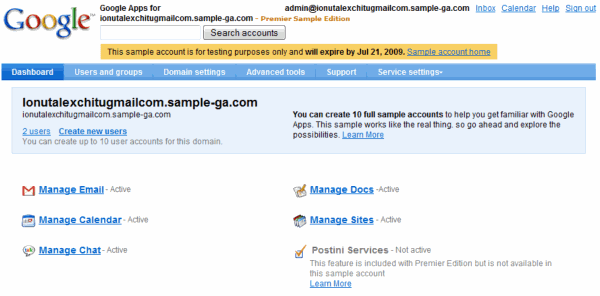
If you're considering trying the paid version of Google Apps, you can create a demo account that has most of the features from Google Apps Premier. The account expires after 14 days, you don't need a domain and you can add 10 user accounts.

A small number of features can't be used in the demo account: Postini email services, domain aliasing and phone support, but all the other options should be available. You can test the APIs, the migration tool, Google Apps Sync for Outlook, the video sharing service and other business-oriented features.

When you sign up for Google Apps Premier Edition, the service is free for the first month, but you need to have a domain and you have to configure some advanced settings. The demo account is much easier to use, even if you only have two weeks to explore the myriad of features included in Google Apps.


If you only want to use Google Apps for personal use or for a small group, you should try the free edition, which is still available, despite Google's efforts to make it more difficult to find*. TechCrunch claims that "the free version of Google Apps is history", but that's not true and I'm certain that Google will always offer a free version.

* How to find the link to Google Apps Standard Edition? Go to Google Apps' homepage, click on "Gmail and Google Calendar", then click on "See details and sign up" and then select "Not a business? Explore Standard Edition". Only three links from the homepage.

Attach Files to Google Calendar Events

Brandon Kraft spotted a new feature in the Google Apps version of Google Calendar: attaching files from Google Docs and photos from Picasa Web Albums to an event. Sometimes you can provide all the details of an event in the description box and you may need to attach photos, presentations and other useful documents.


What I don't understand is why there's no rich-text editor in Google Calendar, where you could drag and drop content from web pages and even images. Hopefully, when GDrive finally launches, you'll be able to access the files stored in Google's Web Drive from any other Google service.

{ Image licensed as Creative Commons Noncommercial Share-Alike. }

Offline Google Calendar for Google Apps

Some Google Apps users noticed a new option in Google Calendar: read-only offline access to the calendars using Google Gears. Mark Mathson has screenshots for the new feature, but it's surprising to see that Google Apps users, who usually received the updates later than Google Accounts users, get the offline Calendar earlier.


Google's help page mentions that users can decide which calendars are available offline. "Calendar keeps you on time, even when you're not online. Offline Calendar allows you to access your events through your browser without requiring Internet access. It's perfect for flaky connections or for when you're in between meetings and have no idea where you're supposed to be next. Note that while offline, Calendar will be read-only - it will not be possible to create, edit, or delete events."

It's interesting that the version briefly available in October 2007 allowed you to "view and edit the next 3 months of your Google Calendar when you're not connected to the Internet". Google decided that it's important to synchronize all the events and that editing the events is too difficult to implement reliably.

{ Thanks, Mark Mathson and Tom Rodman. }

Free Google Apps, More Difficult to Find

Google Apps for Your Domain has been launched in 2006 as a solutions for organizations that wanted to use Google's applications on their own domains. In 2007, Google launched a premier edition for businesses that added corporate features, APIs, phone support and service-level agreement for Gmail.

But how many businesses use Google Apps? A post from July mentioned that "500,000 organizations adopt Apps as part of their business, with another 3,000 signing up every day", while another blog post from October informed us that "more than 1 million businesses have selected Google Apps to run their business".

It's not clear how many of these organizations use the paid edition of Google Apps, but Google decided to make it difficult to even find the free version.

Here's Google Apps homepage, where you can only click on a big blue button:


The second page says that "Google recommends Premier Edition for businesses in the cloud" and invites to me start a free trial. There's a small link below the "Begin free trial" button that lets you use the standard version, but it's difficult to notice.


If you click on that link, you'll get the page that compares the standard and the premier versions, which used to be displayed by default.


Google Apps is now in the same league as RealPlayer, which shows a small link to the free version, while using the rest of the page to promote a paid version. Just in case the link to the Google Apps Standard Edition goes away, here's how to sign up for free.

Web Address Mapping for Google Sites

If you use Google Sites as part of Google Apps, you can now map the sites to your domain. Instead of having to link to ugly URLs like http://sites.google.com/a/domain.com/wiki, you'll be able to customize the addresses and replace them with subdomains like: http://wiki.domain.com. "The new location can be your domain home page or any sub-domain in your domain, and can be set up on the Web Addresses tab of the Sites service settings in your Google Apps control panel," informs Google Sites Blog. You can find more details in the help center, which notes that private sites are redirected to the standard URLs.

Many people expected something different from Google Sites and the name doesn't help the service too much. Google Wikis would have reflected the true intention of the service. "A wiki is a website designed for collaboration. Unlike a traditional website where pages can only be read, in a wiki everyone can edit, update and append pages with new information and without knowing HTML. Wikis are great for all types of collaboration, from writing documents and managing projects to creating intranets or extranets," explained JotSpot's intro tour.

Wikis created with Google Sites allow a very limited amount of customization and you can only embed content from trusted sources like YouTube or Google Docs. One of the causes for the lack of customization is that the wikis are hosted at google.com, instead of a separate domain like googlesites.com, and a script could easily compromise your Google account.

Second-Class Google Citizens

Every time Google releases a new feature for Gmail, Calendar, Google Docs etc. people who use Google Apps are left wondering whether they'll get the new feature. Sometimes they have to guess addresses, like for the new mobile Google Talk. They are supposed to figure out that the Google Apps version of: http://talkgadget.google.com/talkgadget/m is http://hostedtalkgadget.google.com/a/YOURDOMAIN.COM/talkgadget/m.

Besides having to deal with delayed updates and mysterious addresses, Google Apps users usually have at least one standard Google account and it's difficult to switch between the two parallel worlds. I noticed that when you go to Google Sites and you're logged using both a Google account and a Google Apps account, you are asked to choose one of them:


Maybe Google could somehow integrate Google accounts with Google Apps accounts so you can access all the services and get all the new features. The services that are part of Google Apps should have a customized interface and functionality, while the other services should only interact with them so you can, for example, share Google Reader items with your Google Talk contacts.

Upload Old Email to Google Apps

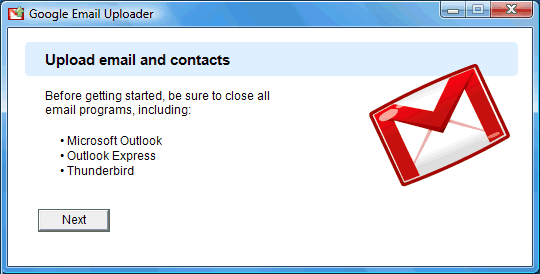
Google Email Uploader is a tool created by Google to make the transition to Google Apps easier. The application imports to a Google Apps account the messages and contacts stored locally in Microsoft Outlook 2002+, Outlook Express and Thunderbird. It doesn't modify the sent dates from your messages and it converts the folders into Gmail labels. Google Email Uploader is open source and it works only in Windows XP and Windows Vista.

The uploader works only in the premier edition of Google Apps, even though Google says it should work in the standard edition, as well. If you try to use it with a standard Google Apps account, you'll get this error message: "you are not authorized to use this feature". The most likely reason why the application works only in the paid version of Google Apps is that it uses the email migration API, which "allows administrators and users of Google Apps to migrate mail from legacy email systems into their domain's hosted Gmail accounts". The API is enabled for the paid accounts and it's also used by gMOVE, a tool that migrates Outlook calendars, email, contacts and tasks to Google Apps for $19.

You can also import old mail to a Gmail account using IMAP: simply drag your old messages to Gmail's inbox in an email client, but the new application should be more reliable.

Salesforce to Integrate with Google Apps?


Last week, Tony Ruscoe found an interesting reference to Salesforce in a CSS file used by Google Apps. According to the company, "Salesforce.com is the worldwide leader in on-demand customer relationship management (CRM) services. More companies trust their vital customer and sales data to salesforce.com than any other on-demand CRM company in the world."

Other people found references to Google products in Salesforce's applications: a button to compose a message in Gmail and a button for Google Docs, so the integration is probably in the final stages. "Openness is a virtue – the best CRM and the best online productivity suite are lined up for a deep integration", thinks Steve Andersen.

In June 2007, Google signed a partnership with Salesforce to include Google AdWords in its applications, but Wall Street Journal speculated that the result "could be a Web-based offering that integrates some of Google's online services such as email and instant-messaging with those of Salesforce.com, whose customer-relationship management tools help salespeople track their accounts." Maybe this year Wall Street Journal's prediction comes true.

Google Sites Launched

After more than a year since the JotSpot acquisition, Google finally launched a service that uses JotSpot's technology: Google Sites. The new service is a part of Google Apps and allows you to create web sites collaboratively. "People can work together on a Site to add file attachments, information from other Google applications (like Google Docs, Google Calendar, YouTube and Picasa), and new free-form content. Creating a site together is as easy as editing a document, and you always control who has access, whether it's just yourself, your team, or your whole organization," explains Google.

Google offers templates, a rich-text editor, 10GB of storage for each Google Apps account and integration with other Google services so you can embed gadgets, calendars, spreadsheets, presentations, photo slideshows and videos. You can invite people to collaborate or just view a site and you can also publish the site so that anyone can view it.

VentureBeat likes the new service. "Creating a new site with Google Sites is very easy. (...) You can start out by creating a front page for your site and from there decide whether to add more standard pages" or use one of the built-in templates: dashboard, blog, file cabinet, list.


Webware notices that Google doesn't offer too many features. "As is typical for Google productivity applications when they first launch, the functionality inside Sites is on the spare side, but the collaboration features are clear, easy to use, and well-chosen. This is a capable workgroup wiki, and even in this early stage its integration with the Docs and Apps suites makes it an excellent collaboration tool."

Here are three examples of Google Sites: a company intranet, a ski club site and a team project.


The video shows how easy is to create a simple site:


The new service is enabled by default for all the new Google Apps accounts, but administrators need to enable it explicitly for the existing accounts.

Google Offers Security Services for Mail Servers

Google acquired last year Postini, a company that offered hosted services for email servers. "Postini invented the software as a service approach to providing communications security and compliance, and holds two fundamental patents in the space, with more patents pending." Google integrated a small part of the offering in Google Apps Premier Edition: policy management, spam/virus filtering and 90-days message recovery.

Now Google offers the rest of the Postini services under the Google Apps umbrella, but without tying them with Google Apps Premier Edition and Gmail. Google Apps Security Services work with the most important email servers (Microsoft Exchange Server, Lotus Domino, Postfix, Sendmail, Macintosh OS X Server, Novell Groupwise) and offer three levels of protection, priced differently:


* message filtering: anti-spam, anti-virus, anti-phishing, and malware protection for inbound messages - $3/user/year
* message security: inbound and outbound mail filtering, email encryption, content policy management - $12/user/year
* message discovery: the same as above plus one-year message archiving, audit reports - $25/user/year

For educational institutions and non-profit organizations, the prices are much smaller: $1, $4 and $8.33/user/year. For all the services, Google provides 99.999% service level assurance.

Here's how the service works: you change the MX records to point your mail traffic to Google's data centers and all the bad traffic will be stopped before reaching your mail server. Google processes email in RAM and doesn't write the valid messages to disk.
Google provides multiple layers of protection against viruses. The service leverages its visibility to emerging threats by monitoring attacks against our customer base and - in real-time - blocks IP addresses that are issuing virus attacks. In addition, Google utilities multiple anti-virus protections including zero-hour heuristics, coupled with multiple commercial anti-virus engines to detect existing and emerging threats.

As with our virus protection, Google leverages visibility into billions of daily message connections to monitor spam attacks and blocks the most obvious spam. Our heuristic engine then filters the incoming mail traffic and captures any suspicious messages. This is all performed in real-time (processed in RAM memory in our data centers) without delays to your email delivery. With these capabilities, Google combines an extremely effective capture rate with an exceptionally low false positive rate.

Google says that Postini already has 40,000 customers and 14 million users and these affordable prices should increase the user base. Unfortunately, the association between these security services and Google Apps might confuse the potential clients and make them think that the services are only available for Gmail.

In fact, Gmail already includes anti-spam, basic anti-virus, anti-phishing and the corporate version of Google Apps includes content policy management and basic message archiving at no additional cost. Maybe Google will use the data obtained from Postini's services to enhance Gmail's security features.

Slowly Transitioning to Online Software

New York Times has a long article about the differences between Google and Microsoft in terms of vision. "The growing confrontation between Google and Microsoft promises to be an epic business battle. It is likely to shape the prosperity and progress of both companies, and also inform how consumers and corporations work, shop, communicate and go about their digital lives. Google sees all of this happening on remote servers in faraway data centers, accessible over the Web by an array of wired and wireless devices — a setup known as cloud computing. Microsoft sees a Web future as well, but one whose center of gravity remains firmly tethered to its desktop PC software."

Eric Schmidt, Google's CEO, envisions that 90% of today's computing tasks can be moved online. "To explain, Mr. Schmidt steps up to a white board. He draws a rectangle and rattles off a list of things that can be done in the Web-based cloud, and he notes that this list is expanding as Internet connection speeds become faster and Internet software improves. In a sliver of the rectangle, about 10 percent, he marks off what can't be done in the cloud, like high-end graphics processing." (my emphasis)

Google also thinks that people don't use all the features that are available in many desktop applications. "If you're creating a complex document like an annual report, you want Word, and if you're making a sophisticated financial model, you want Excel. That's what the Microsoft products are great at. But less and less work is like that," said Google's Dave Girouard.

And for Google, things are going in the right direction: more people have access to fast Internet connection, users don't want to keep their data on a single computer as they found the advantages of sharing and collaborating online. There's also the advantage of a much lower price for storage and computing. Google's "vast data centers are designed by Google engineers for efficiency, speed and low cost, giving the company an edge in computing firepower and allowing it to add offerings inexpensively."

For now, 2.000 companies start to use Google Apps every day (most try the free version), Google Docs had 1.6 million US users last month (source:Compete.com), Gmail doubled its US users to 20.1 million in November (source:comScore).

Related:
Replacing desktop software with web applications

Gmail Mobile Application, Now Available for Google Apps


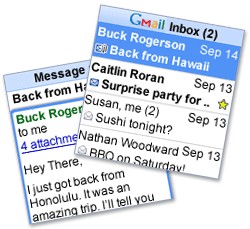
The mobile Gmail application for Google Apps that used to only work if you had a Blackberry is now available for all mobile phones. Just go to m.google.com/a on your mobile phone and download "Mail by Google". The application looks exactly like the recently released Gmail Mobile 1.5, except that it has a blue icon and supports Google Apps accounts. You'll also notice that you can login with standard Gmail accounts.

It's unclear why Google didn't add support for Google Apps in the standard Gmail application (available at gmail.com/app), but it may have something to do with Google's branding and the Gmail name.

{ Screenshot licensed as Creative Commons by alphagiu. }

Google Sites to Launch in 2008


A recent presentation from Scott Johnston, a former JotSpot executive, revealed some of the future plans for Google Apps and other Google services.

A service based on JotSpot will replace Google Page Creator. "Scheduled to be launched sometime next year (2008), Google Sites will expand upon the Google Page Creator already offered within Apps. Based on JotSpot collaboration tools, Sites will allow business to set up intranets, project management tracking, customer extranets, and any number of custom sites based on multi-user collaboration." The service will also allow you to upload any file formats. You can already see a gallery of applications that use JotSpot.

As expected, most Google services will become Gears-enabled and will start to work even when you're offline. "Will users be able to edit docs, spreadsheets and presentation offline? Scott's answer was yes, and that the Google Gears plugin would handle the offline work. In addition, Google Gears support is in the works for Gmail and Google Calendar."

Another service that will become a part of Google Apps is GrandCentral, but the integration is not expected to be available very soon.

{ via TechCrunch }

Migrate from Outlook to Google Apps

Google has recently updated the migration tools from Google Apps to "move email from anywhere – not just IMAP systems – to the Premier, Education or Partner Editions of Google Apps." An example of solution that uses the API is gMOVE from LimitNone, a tool that migrates your email, contacts and calendars from Outlook to Google Apps. gMOVE also migrates the tasks from Outlook to an iGoogle gadget.

The tool costs $19 and it works with any Google Apps account. If you post an insightful comment that explains why do you want to migrate from Outlook to Google Apps, you could get gMOVE for free. Don't forget to include your email address so I can contact you.

LimitNone also has a free tool that lets you move from a Gmail account to another Gmail account or to Google Apps: it transfers your messages, filters, contacts and calendar events.


Gmail Mobile App and Google Apps Accounts


It's strange to see that Gmail's mobile app still doesn't work with Google Apps accounts. The only option offered by Google is for Blackberry users: "if you currently use the Gmail for mobile application on your Blackberry, you'll need to download the mobile application for Google Apps as well. These are two different applications. A red M icon will appear for Gmail and a blue M icon will appear for Mail by Google (Google Apps)."

An interesting comment from a Lifehacker post offered a way to login with a Google Apps account in Gmail's mobile application, by downloading two old versions on your mobile phone:
* Browse to gmail.com/app/v1.0.0/en/gmail-g.jar [or: http://tinyurl.com/yxnuqx] and download the version 1.0 client

* Enter your login information (your username should be your full Google Apps email address, i.e. me@mydomain.net)

* You will get an error after the client tries to pull up the inbox. Just exit out of the application.

* Now go and download v1.1.1 by browsing to: gmail.com/app/v1.1.1/L1/gmail-g.jar [or: http://tinyurl.com/2ge979]

* After it installs select 'Keep existing data' on your phone when prompted

* Now when you start up gmail it will use the saved login credentials from the previous install and work just dandy.

I couldn't make this work, but others confirmed that this trick works (for example, in some Nokia and Windows Mobile phones). The latest version of Gmail Mobile is 1.5, so the two versions mentioned above aren't very recent.

Business Google Apps Adds Postini and 25 GB Gmail

The Register reports that Google integrated Postini, acquired in July, into the business edition of Google Apps. "We're pleased to announce that policy management and message recovery by Postini are now available at no additional charge within Premier Edition," says Google.
Policy management lets administrators implement rules for how messages are handled based on the sender, recipient, attachments or content of the message:

* Messages can be selectively tracked, routed for review or blocked according to company or regulatory compliance guidelines. For example, emails with specific keywords can be prevented from being sent to external recipients, or groups of users can be entirely prevented from sending external email.
* Configurable spam and virus filtering lets organizations add custom filtering rules, complementing the spam and virus protection already included in Gmail.

Message recovery allows you to search for mail across your whole domain and recover deleted emails on a 90-day rolling basis, adding peace of mind that important information is safe with Google Apps, even in the case of accidental deletion by your users.

Another good news for Google Apps Premier Edition's users is that the email storage was increased from 10 GB to 25 GB. While the size doesn't impress too many people anymore, it's interesting to see Google offering more for the same price.

Gmail remains the principal attraction of Google Apps, but the addition of other services like wikis (JotSpot) and online storage (GDrive) could counterbalance its importance. Meanwhile, Zoho tests a business edition for its online office suite and Microsoft tries to extend Office's dominance online.

Labels

Web Search Gmail Google Docs Mobile YouTube Google Maps Google Chrome User interface Tips iGoogle Social Google Reader Traffic Making Devices cpp programming Ads Image Search Google Calendar tips dan trik Google Video Google Translate web programming Picasa Web Albums Blogger Google News Google Earth Yahoo Android Google Talk Google Plus Greasemonkey Security software download info Firefox extensions Google Toolbar Software OneBox Google Apps Google Suggest SEO Traffic tips Book Search API Acquisitions InOut Visualization Web Design Method for Getting Ultimate Traffic Webmasters Google Desktop How to Blogging Music Nostalgia orkut Google Chrome OS Google Contacts Google Notebook SQL programming Google Local Make Money Windows Live GDrive Google Gears April Fools Day Google Analytics Google Co-op visual basic Knowledge java programming Google Checkout Google Instant Google Bookmarks Google Phone Google Trends Web History mp3 download Easter Egg Google Profiles Blog Search Google Buzz Google Services Site Map for Ur Site game download games trick Google Pack Spam cerita hidup Picasa Product's Marketing Universal Search FeedBurner Google Groups Month in review Twitter Traffic AJAX Search Google Dictionary Google Sites Google Update Page Creator Game Google Finance Google Goggles Google Music file download Annoyances Froogle Google Base Google Latitude Google Voice Google Wave Google Health Google Scholar PlusBox SearchMash teknologi unik video download windows Facebook Traffic Social Media Marketing Yahoo Pipes Google Play Google Promos Google TV SketchUp WEB Domain WWW World Wide Service chord Improve Adsence Earning jurnalistik sistem operasi AdWords Traffic App Designing Tips and Tricks WEB Hosting linux How to Get Hosting Linux Kernel WEB Errors Writing Content award business communication ubuntu unik